Transition Window


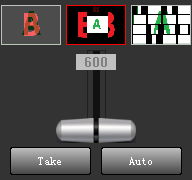
Click  to switch directly from PVM to PGM, while the original PGM is switched back to PVM.
Click  , use the current transition effects, switch from PVM to PGM within a set time, and PGM switch back to PVM at the same time.
The T-bar  can be manually switched by dragging.
The duration  of automatic switching can be modified by rolling the mouse wheel.
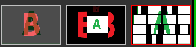
The Switching control window includes three favorite effects, and the current effect have red borders.
Click on the effect icon to change the current effect.
Double-click the effect icon to automatically switch from PVM to PGM using this effect.
To change the favorite effects, see Effect Library.